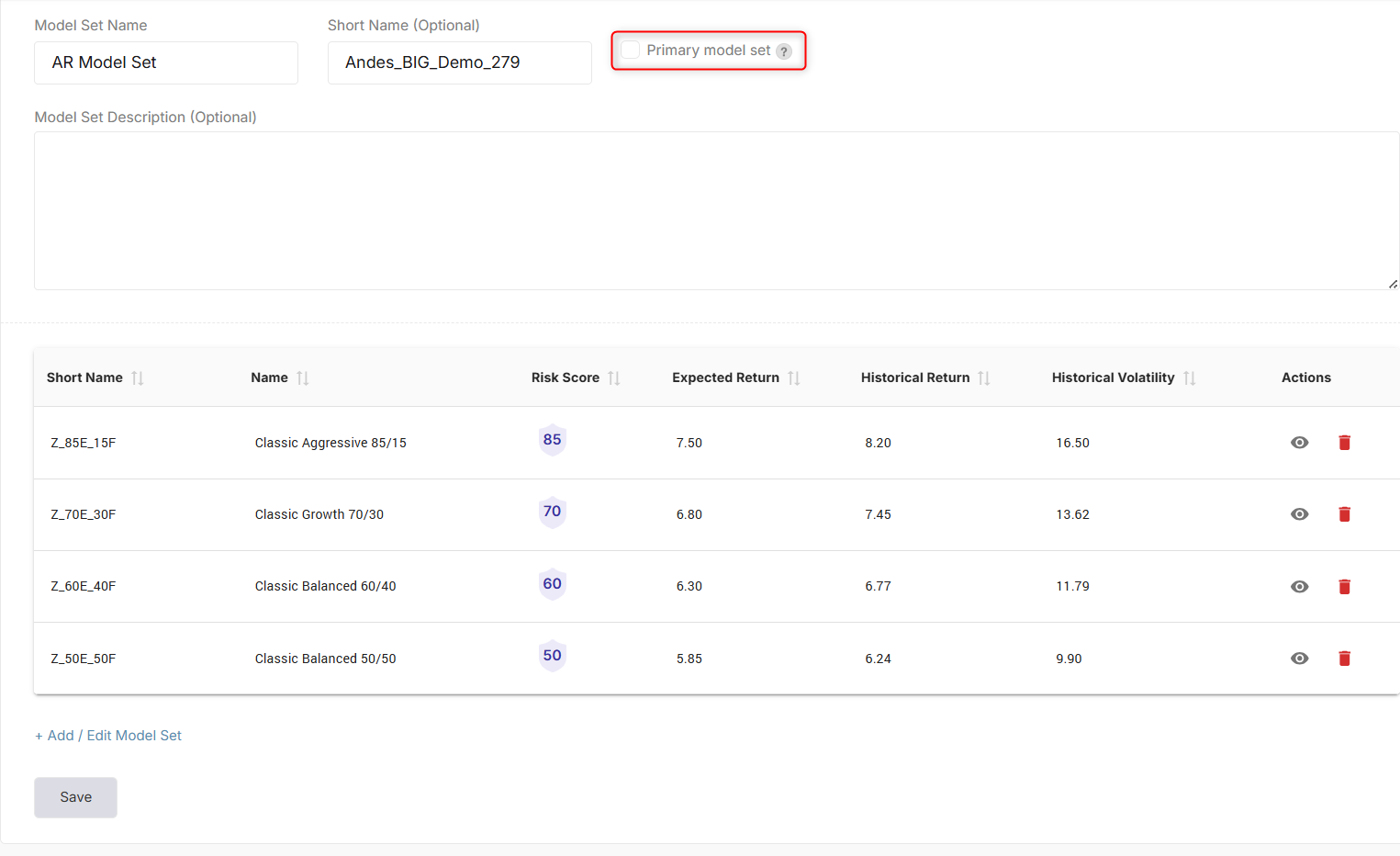
In the Andes Risk platform, the Model Set is used to power the Risk Tolerance Test and the efficient frontier visualization. It is a collection of related models that span different risk levels and are used together for risk tolerance testing, portfolio visualizations, and client workflows.
To build a Model Set, follow the steps below:
Step 1: Navigate to Model Management → Model Sets, then select + Add Model Set.
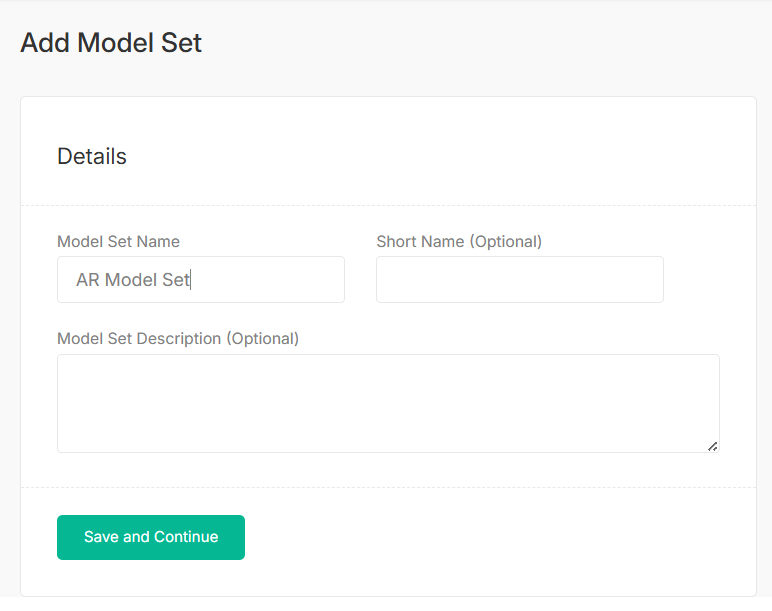
Step 2: Give your Model Set a name. Short Name and Model Set Description are optional. Select Save and Continue.
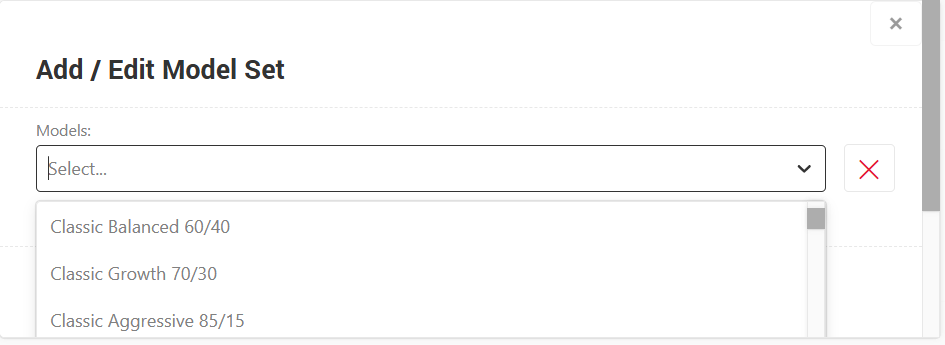
Step 3: Add models by selecting +Add/Edit Model Set button. Select the desired models then hit Save.
Finally, your Model Set is ready to be used in the system and if necessary, you can also set it as your primary model set.