
For questionnaires, the Risk Tolerance Test, and Household Info, you can send links to clients in advance. Below are instructions for:
• Sending links
• Risk Tolerance Plus, Household Info, and custom flows
• Tracking status
• Reviewing results
Sending Link
You can send a link directly to a client from the Household Dashboard page, or send links to multiple clients from Client Management → Investors Profiles tab.
Send link from the Investment Profiles page.
Send from the Investor Profiles tab, so from the Client Management page select the Investor Profiles tab and then tick the checkbox beside the investor’s name and then click the icon on the upper right, Send Link/Launch. You can select multiple investors.
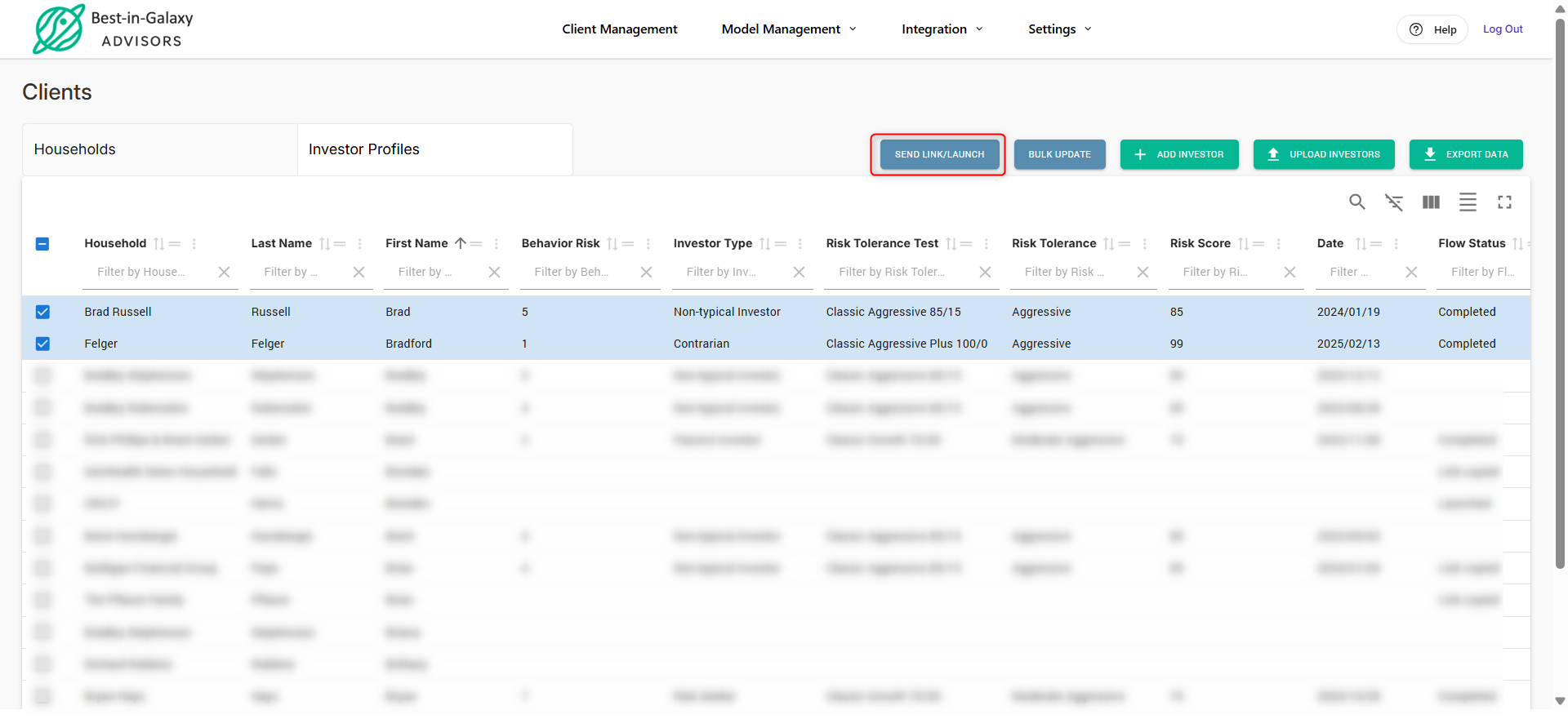
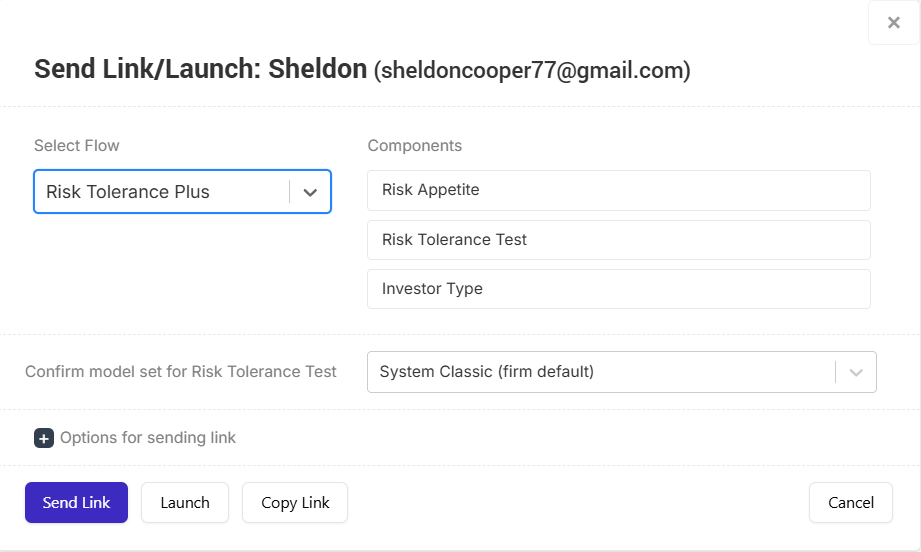
On the Send Link/Launch pop-up, you can select a sequence or define a custom flow that you can send to the client. See below:
Risk Tolerance Plus, Household Info & Custom Flows
All clients are encouraged to complete the Risk Tolerance Plus sequence if they haven’t already. This sequence includes the Risk Appetite Questionnaire, Risk Tolerance Test, and the Investor Type mini-questionnaire.
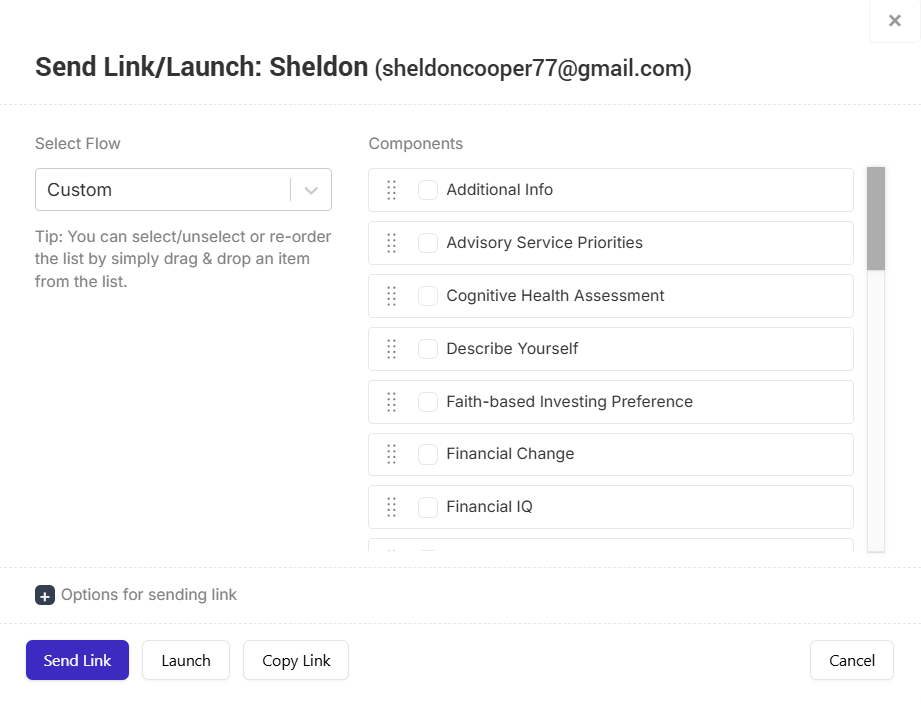
To create a custom flow, select Custom from the Select Flow dropdown. Choose the components you want, then hover over the dots to drag and reorder them as needed.
Tracking Status
Once the client completes the questionnaire, you’ll receive an email confirmation from advisor@andeswealth.com with a subject line such as “Sheldon Cooper completed the questionnaire.”
You can also view the Flow Status on the Investors page under Client Management → Investor Profiles
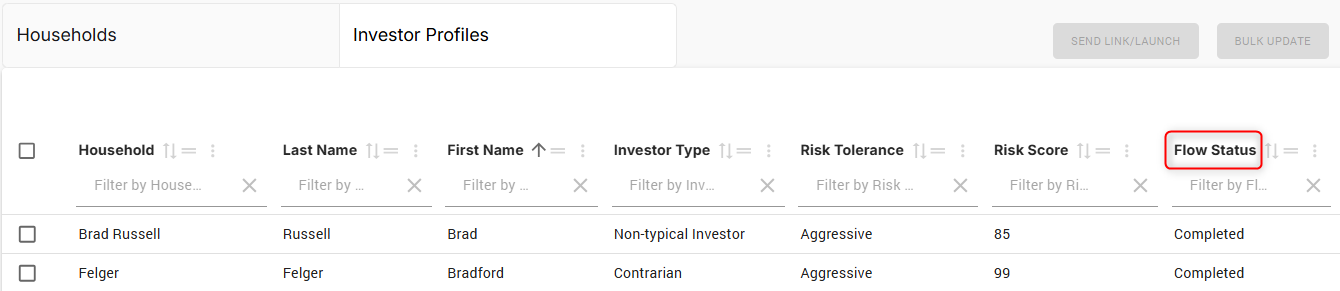
The Flow Status column shows the current status:
• Sent – The email has been sent to the client.
• Clicked – The client has clicked the link and selected Get Started.
• Completed – The client has completed the flow.
Reviewing Results
To view results and history for the questionnaires and Risk Tolerance Test, visit the Dashboard → Risk & Behavioral Profile page.
For Household Info, go to the Households page to review the details.