
A Dynamic or Tactical model is a model that adjusts based on market conditions and contains multiple allocation snapshots over time.
Below are the steps to create a Dynamic Model:
Step 1: Navigate to Model Management → Models & Blends, then select + Add Model.
In the pop-up, be sure to select Dynamic as the model type. As with Static models, enter a name for your model; selecting a benchmark and adding a description are optional.
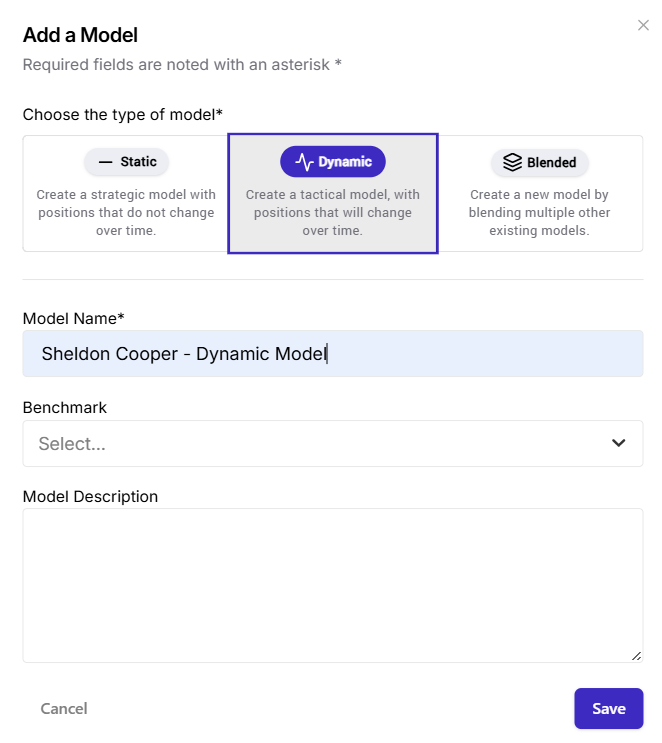
Step 2: Add Positions to your model.
Alike with Static Models, you also have the option to add positions manually or import a CSV file. A sample file is also provided if you choose to Import CSV. Here's how it looks like below:
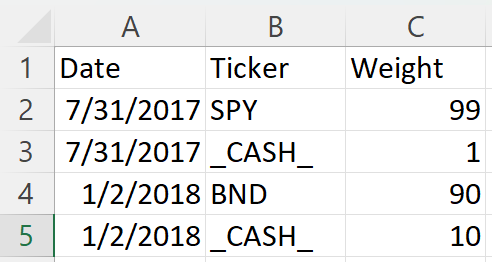
Each date shows what the model looked like at that time, reflecting how allocations changed as market conditions evolved.
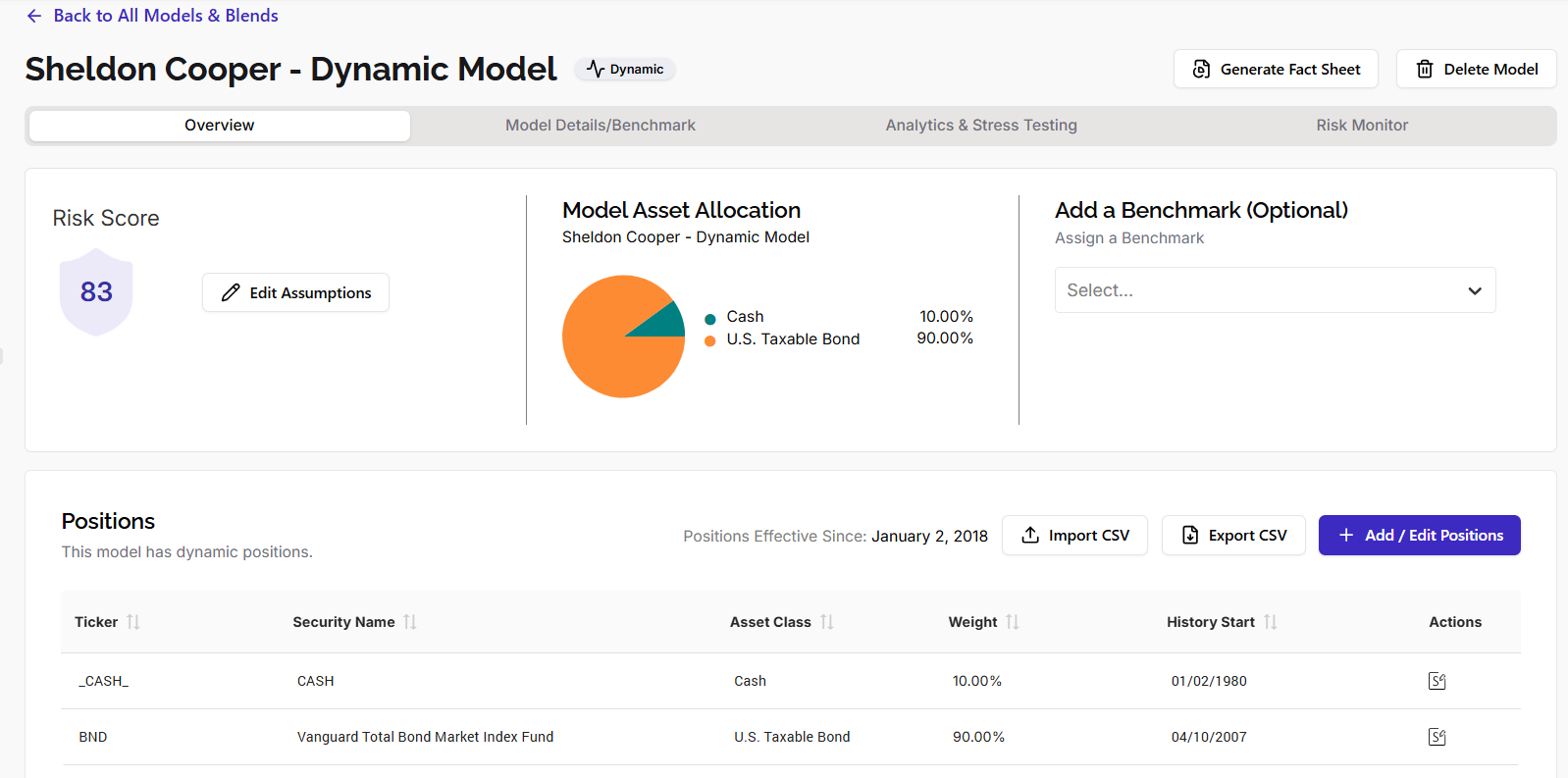
Once the upload is complete, analytics will be calculated automatically, after which you can add additional information for your Dynamic Model.
Adding New Security. If you enter model positions manually, click here for instructions for adding a new security.