
As part of our commitment to regulatory compliance and ensuring that clients are well-informed about their investment choices, we have enhanced our interactive tools on Andes to support the SEC Marketing Rule.
These tools will use the selected firm fee preference as the default. The following interactive tools have been enhanced to support the SEC Marketing Rule:
1. Risk Tolerance Test
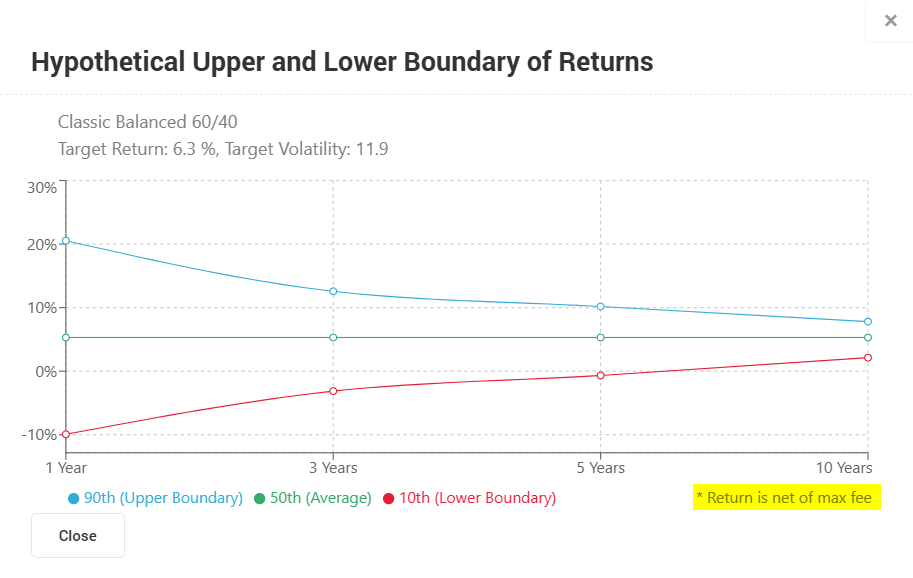
- 10-Year Range Chart
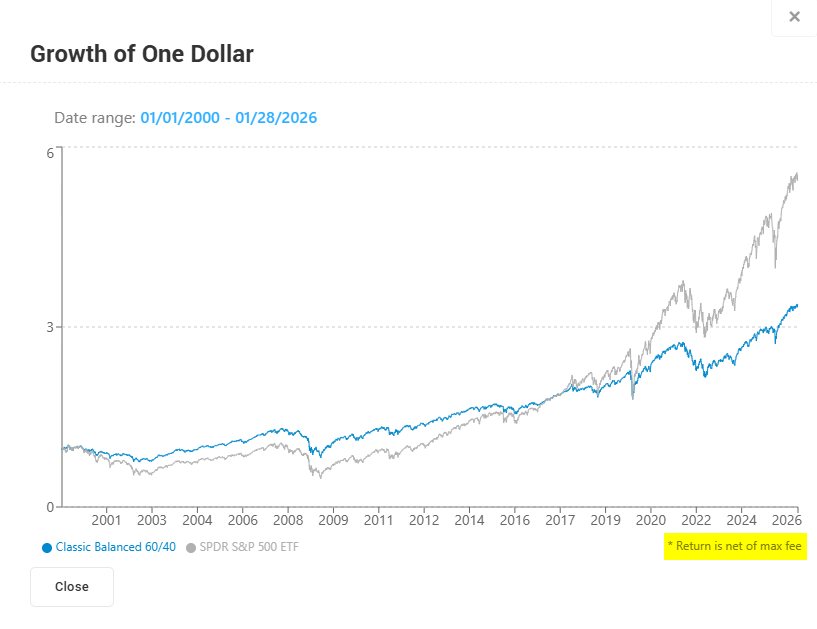
- Growth of One Dollar
2. Model Management
- Annual Returns chart
3. Portfolio Health Check
Fee Preference on the Interactive Tools
Here is how we show the fee preferences on all the interactive tools:
1. Gross of Fee – No subtraction is made to the return since there are no fees included.
2. Net of Max Fee –Refers to the total investment return after the maximum fee has been deducted. If the fee is not specified at the household level, the firm max fee will be used. The Maximum Fee will be subtracted from the total return.
Fees are all annualized, and for the 6-month period, the fee will be divided by 2 and subtracted from the gross. For the 1-year period, the fee will be subtracted from the gross.
You have the option to switch between fee preferences using the "Net/Gross of" dropdown menu on the Risk Tolerance Test and Portfolio Health Check. Please note that while you can make changes, you are not permitted to save them to conform with the firm's fee preference.
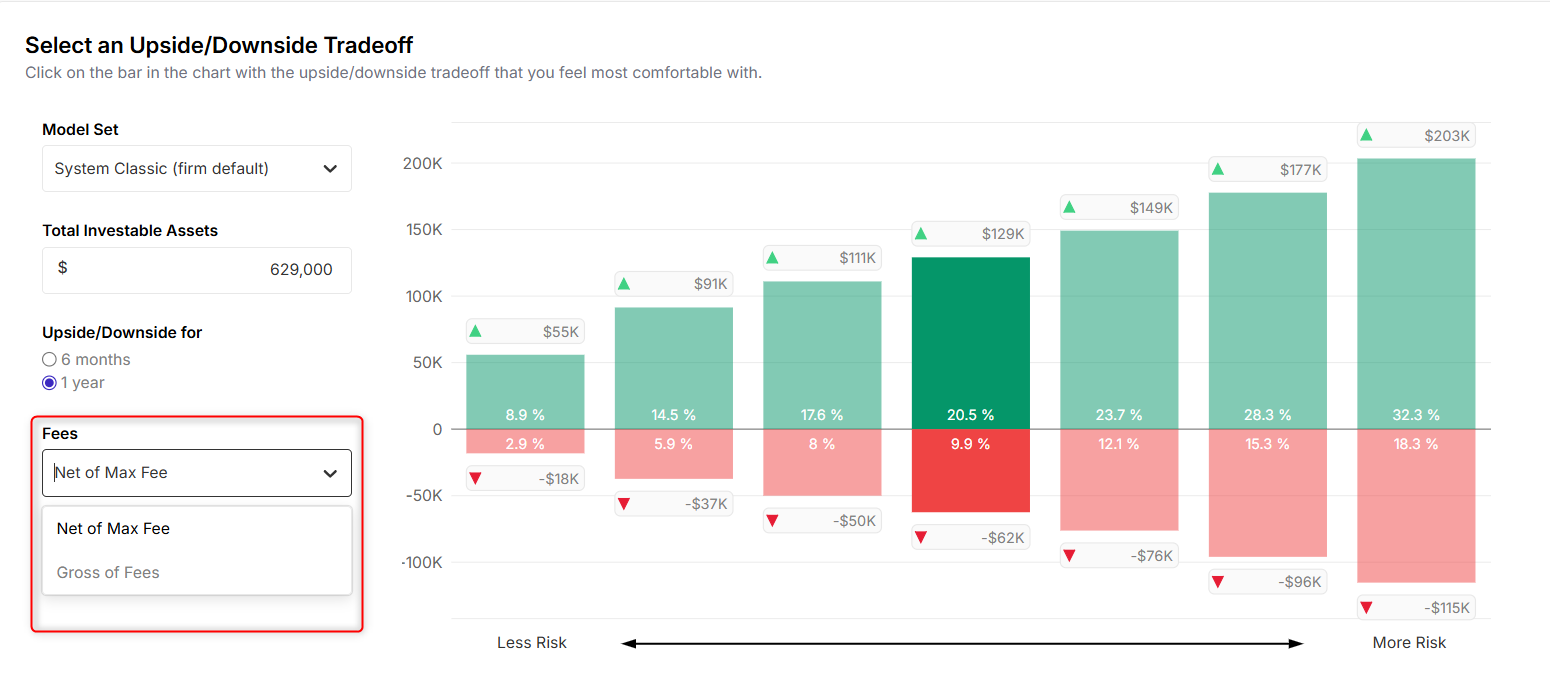
Scroll down in the Portfolio Health Check: 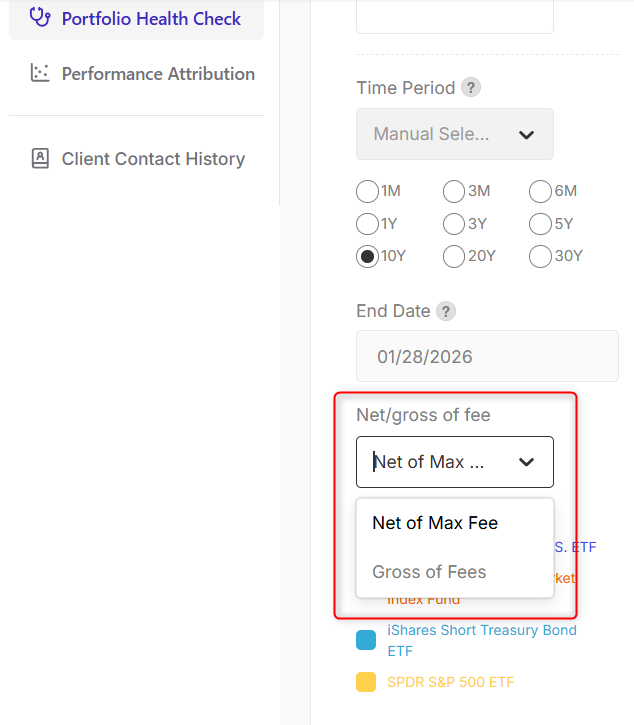
Net of Fee also available, you can set it up on Settings → Firm Settings → Fees tab.
Net of Fee = Advisory Fee + Investment Management Expense are subtracted from returns.
- Advisory Fee = % of AUM charged to the household
- Investment Management Expense = fund/model expenses
- If not specified at the household/model level, firm defaults are used
Annual Returns Chart on Model Management
You can find the Annual Returns chart on the Analytics & Stress Testing tab inside your selected model.
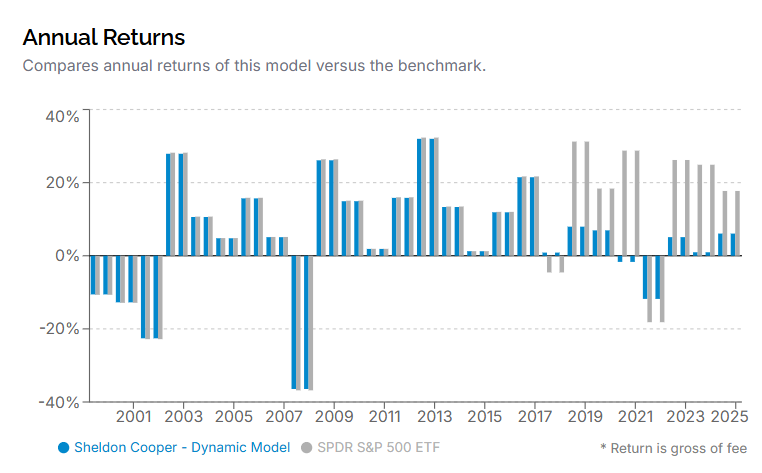
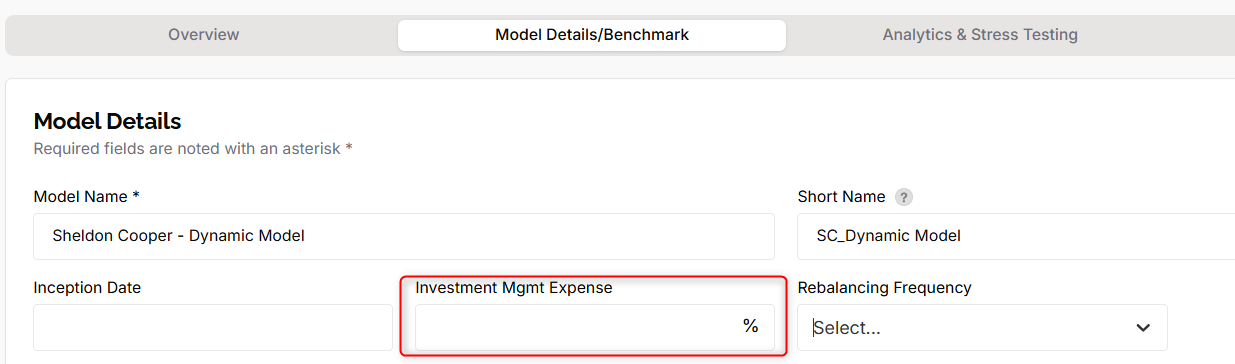
While if "Net of Fee" is chosen, the model's investment management expense will be utilized and you can find it on Model Details/Benchmark tab:
10-Year Range Chart & Growth of One Dollar
Text has been added to the charts to reflect the selected fee preference. However, please note that this text will not appear on the IPS or Risk Tolerance Test reports.
Go back to the previous articles:
- Getting Started with the SEC Marketing Rule on Andes
- (For Firm Admins) How to Setup the Fees on Andes
- How to Setup the Household-level Fees on Andes