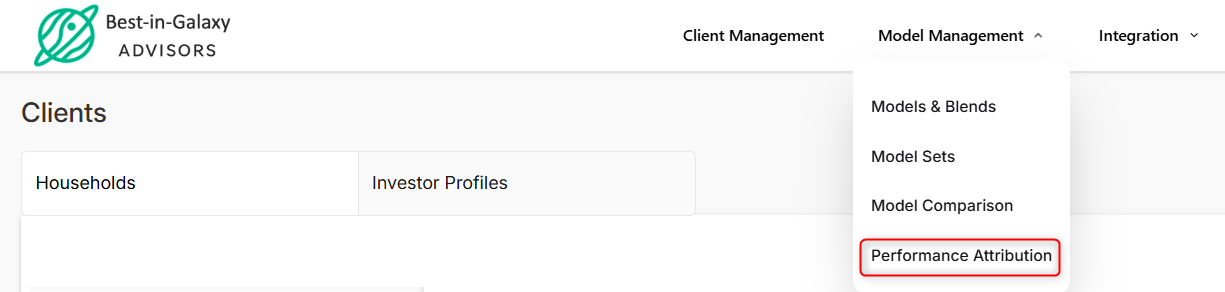
To view Model Performance Attribution, navigate to Model Management → Performance Attribution.
It is also accessible from the Model & Blends page → Performance Attribution button.
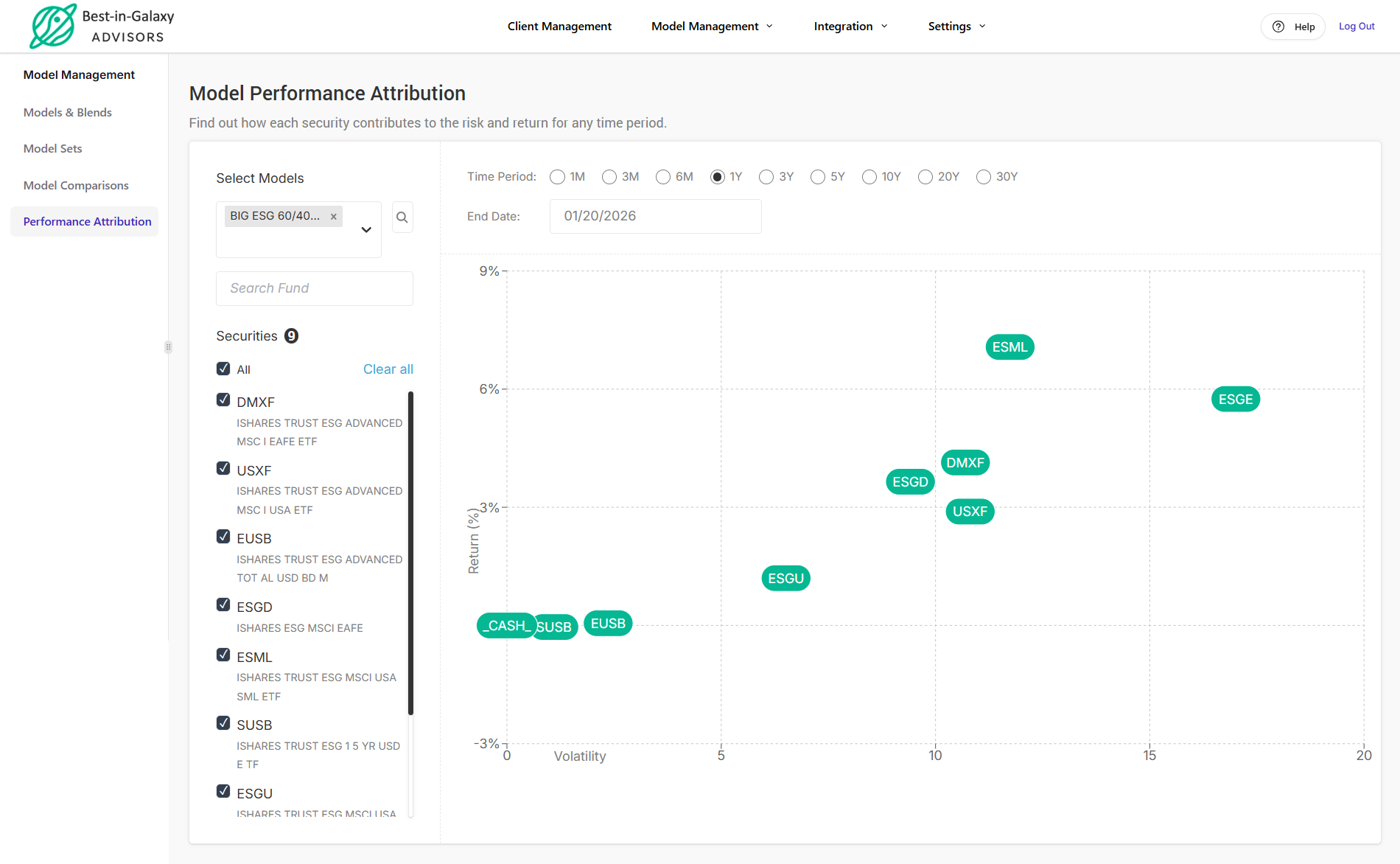
Model Performance Attribution shows how each security contributes to overall risk and return for a selected time period. This feature allows you to analyze the performance of all securities within a model and identify which ones are performing well.
Performance attribution tracks each security from the beginning of its trading history. As a result, a security may appear in the analysis even if it is not currently held during the selected time period.
In the left pane, you can choose from a variety of models, including model portfolios, model sets, and strategy models. Use the dropdown menu to view all available models, then customize the time period and end date to analyze security performance.